A flagged slip tells you what to do next
Dock log, Sep 24.
Flagged slips now show what to do next.
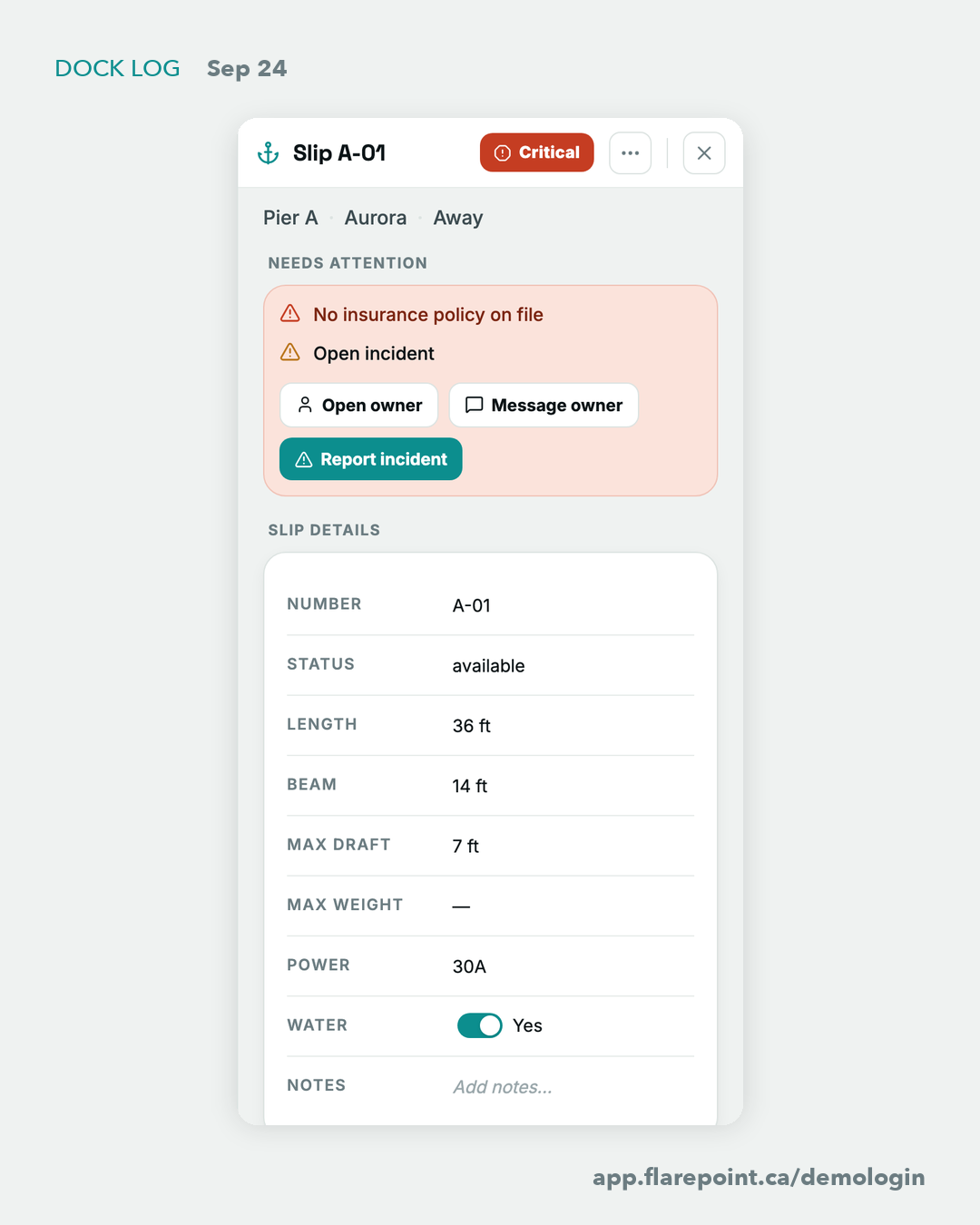
Opening a red slip used to show why it was flagged, and that was it. Now there's a Needs attention block with buttons. Slip A-01 on the demo marina: no insurance on file, an open incident. Right there: Open owner, Message owner, Report incident. The incident form comes filled in with the slip, the boat and the reasons.
We also fixed a confusing one. The Dock said "Needs attention 4" and the copilot said "7 slips need attention". Both were right; they counted differently. Now every screen says the same thing: 7 flagged, 3 critical, 4 need attention.
Slip A-01 on the demo is red every morning, if you want to click through it: app.flarepoint.ca/demologin